
Chatbot for Hotels: Complete Implementation Guide
Step-by-step guide to implementing a hotel chatbot — from defining goals to measuring results. Learn how to choose, deploy, and optimize AI guest communication.
 Arash K.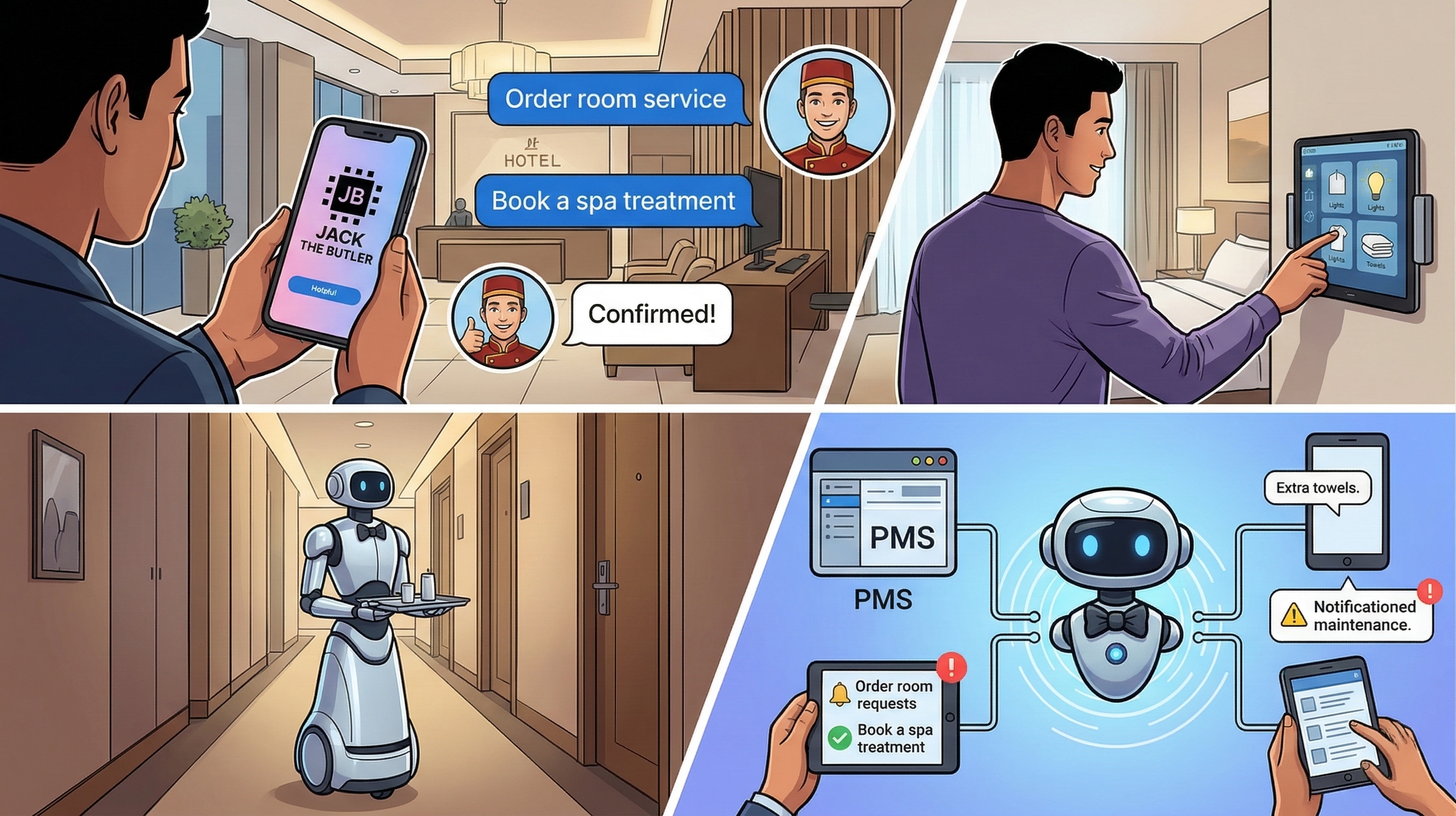
Implementing a chatbot for your hotel is no longer a luxury reserved for large chains. With the right approach, any property — from a 10-room B&B to a 500-room resort — can have an AI-powered chatbot handling guest inquiries within a day.
This guide covers the full implementation process: defining your goals, choosing the right platform, training the AI on your property, connecting guest channels, and measuring results. Whether you are evaluating hotel chatbots for the first time or replacing an underperforming solution, this is your practical roadmap.
Why Hotels Are Adopting Chatbots in 2026
70%
of routine guest inquiries handled automatically
50%
reduction in front desk phone calls
30%
lower customer service costs
Step 1: Define Your Goals
Before evaluating platforms, get clear on what you need the chatbot to do. Different hotels have different priorities:
Reduce front desk calls
Automate FAQs: checkout time, Wi-Fi, parking, directions
Serve international guests
Multilingual AI on WhatsApp, no staff language barriers
Increase ancillary revenue
Automated upsells: upgrades, spa, late checkout, transfers
24/7 guest support
Handle 3am requests without overnight front desk staff
Write down your top 2-3 goals. This will guide every decision that follows — from which platform to choose to how you train the chatbot. Modern AI chatbots can function as full hotel virtual assistants that go beyond answering FAQs.
Step 2: Choose the Right Platform
There are three categories of hotel chatbots, each with different trade-offs:
Enterprise SaaS
HiJiffy, Asksuite, QuicktextBest for: Large hotels or chains with budget for premium tools
Generic Chatbot Platforms
Tidio, Crisp, Tawk.toBest for: Simple web chat widget, not full guest messaging
Open Source / Self-Hosted
Jack The ButlerBest for: Hotels wanting full control without SaaS pricing
For a detailed comparison of free options, see our free hotel chatbot solutions guide. For a comprehensive side-by-side review, check out our 10 best hotel chatbots compared.
Step 3: Prepare Your Knowledge Base
Your chatbot is only as good as the information it has. Before setting up any platform, gather your property information into a single document or set of pages:
Property Information Checklist
Essential
Recommended
If you already have a website with this information, many chatbot platforms (including Jack) can scrape your site automatically and build the knowledge base from it. Otherwise, a simple document covering these topics is enough to get started.
Step 4: Set Up and Deploy
The actual setup process varies by platform, but most modern hotel chatbots follow a similar flow:
- Create your account or deploy the software — SaaS platforms require signup; self-hosted solutions like Jack deploy with one click on Railway, Render, or Docker
- Complete the setup wizard — Enter your property name, type, and basic configuration
- Choose your AI provider — Select between cloud AI (Claude, GPT) for best quality or local AI for zero API costs
- Import your knowledge base — Paste your property information or let the chatbot scrape your website
- Test with sample questions — Ask typical guest questions and verify accuracy before going live
For self-hosted solutions, the entire process takes under 10 minutes. Enterprise SaaS platforms typically require 1-2 weeks for onboarding and custom configuration.
Step 5: Connect Guest Channels
A chatbot that only works on your website misses most guest conversations. You need a guest messaging platform that unifies all channels. Connect the channels your guests actually use:
The #1 channel for international guests. 98% open rate. Requires WhatsApp Business API setup through Meta.
Full WhatsApp setup guide →SMS
Universal reach, works on any phone. Best for US domestic guests. Typically via Twilio — ~$0.01/message.
Connect your existing SMTP/IMAP. The chatbot monitors your inbox and auto-responds to guest inquiries.
Web Chat
Embed a chat widget on your website. Visitors ask questions before booking. No third-party setup needed.
Start with one or two channels and expand from there. Most hotels begin with WhatsApp (international properties) or web chat (website-focused), then add SMS and email later. All conversations appear in one unified inbox regardless of channel.
Step 6: Train, Test, and Refine
Your chatbot will not be perfect on day one — and that is fine. The key is to launch with good-enough accuracy and improve over time.
Initial testing
Before going live, test these common scenarios:
- "What time is checkout?" — Basic FAQ
- "Can I bring my dog?" — Policy question
- "I need extra towels in room 204" — Service request (should create a task or escalate)
- "I want to complain about the noise" — Complaint (should escalate to staff)
- "What restaurants are nearby?" — Local knowledge
- A message in Spanish or French — Multilingual handling
Ongoing improvement
After launching, review conversations weekly:
- Unanswered questions — What did the chatbot not know? Add it to the knowledge base.
- Wrong answers — Where did the AI get it wrong? Correct the source information.
- Unnecessary escalations — What got sent to staff that the chatbot could have handled? Train it on those scenarios.
- Missed escalations — What should have gone to staff but did not? Adjust escalation rules.
Most hotels find that the first 2 weeks of feedback dramatically improve accuracy, and after a month the chatbot handles 70-80% of inquiries without human intervention.
Step 7: Measure Results
Track these KPIs to measure your chatbot's impact:
| Metric | What to Measure | Target |
|---|---|---|
| Resolution rate | % of inquiries resolved without staff | 60-80% |
| Response time | Average time to first response | <30 seconds |
| Escalation rate | % of conversations sent to staff | 20-30% |
| Guest satisfaction | Post-conversation rating | 4+ out of 5 |
| Front desk calls | Change in daily call volume | 30-50% reduction |
Beyond operational metrics, track revenue impact: upsell conversion rates (room upgrades, spa bookings offered via chatbot), direct booking inquiries handled, and review scores over time.
Common Implementation Mistakes
Hotels that struggle with chatbots usually make one of these mistakes:
1. Skipping the knowledge base
Deploying a chatbot without property-specific information means it will hallucinate or give generic answers. Guests notice immediately. Spend an hour populating your knowledge base before going live.
2. Not setting up escalation
A chatbot that never escalates to humans will frustrate guests with complex issues. A chatbot that escalates everything defeats the purpose. Configure clear escalation rules: complaints, booking modifications, and safety issues should always go to staff.
3. Ignoring non-English guests
If your property receives international travelers, multilingual support is not optional. AI chatbots can auto-detect language and respond accordingly — make sure this is enabled and tested in your top guest languages.
4. Set-and-forget mentality
A chatbot improves with feedback. Review escalated conversations weekly, update the knowledge base when policies change, and add answers for questions the chatbot could not handle. The best hotel chatbots get better every month.
5. Choosing based on price alone
A free chatbot that cannot handle WhatsApp or escalate to staff will cost you more in frustrated guests than a proper solution. Evaluate based on your goals from Step 1, not just the monthly fee.
Implementation Timeline
Start Today — Free
Jack The Butler is a free, open-source chatbot built for hotels. Deploy in 5 minutes, no credit card required.
Get Jack The Butler FreeFrequently Asked Questions
How long does it take to implement a chatbot for my hotel?
Self-hosted solutions deploy in under 10 minutes. Enterprise SaaS platforms take 1-2 weeks. In both cases, expect 2-4 weeks for the chatbot to reach peak performance as you refine the knowledge base and escalation rules.
What size hotel needs a chatbot?
Any property that receives repetitive guest questions benefits — from 10-room B&Bs to 500-room resorts. Smaller properties often see the biggest relative impact because they have limited staff to handle after-hours inquiries.
Can I use a chatbot without WhatsApp?
Yes. Web chat alone is a great starting point. Guests visiting your website can ask questions before booking, and you capture leads that would otherwise bounce. Add WhatsApp and SMS later when ready.
What happens to conversations when the chatbot cannot help?
Good hotel chatbots escalate to your staff with full context — the guest's question, conversation history, and any identified intent. Staff pick up the conversation without the guest having to repeat themselves.
Do I need technical staff to maintain a hotel chatbot?
No. Modern hotel chatbots are designed for non-technical users. Updating the knowledge base is as simple as editing text. Channel configuration is done through a dashboard. No coding required for day-to-day operations.
How much does a chatbot for hotels cost?
Enterprise SaaS: $200-2,000+/month. Generic freemium tools: $0-200/month. Open-source self-hosted (like Jack): ~$15-30/month total (hosting + AI API). See our detailed cost comparison.
Will a chatbot hurt my guest experience?
A well-implemented chatbot improves guest experience — 70% of hotel guests find chatbots helpful. The key is having accurate information, fast responses, and smooth human handoff when needed. A bad chatbot that gives wrong answers or never escalates will hurt, which is why Steps 3 and 6 in this guide matter.
Can hotel chatbots handle booking modifications?
AI chatbots can understand modification requests, but most route these to staff or PMS systems for execution. The chatbot captures the intent ("I want to extend my stay by one night") and either processes it through a PMS integration or escalates to reception with the details.
Ready to implement a chatbot for your hotel?
Deploy a free, self-hosted AI chatbot in under 10 minutes.